

♥ Wishlist





Computer accessories can make everyday computing more comfortable, productive and convenient, whether you use a desktop computer, laptop or home workstation. From essential input devices such as keyboards and mice to webcams, USB accessories, cables, adapters, storage solutions and other peripherals, the right accessories can help you create a setup that suits your work, study, entertainment and personal computing needs.
For shoppers in India, choosing computer accessories online can be a practical way to compare different types of products, specifications and compatibility requirements before making a purchase. A compact wireless mouse may be useful for a laptop used while travelling, while a full-size keyboard, webcam and connectivity accessories can help build a more functional desk setup. Students, professionals, gamers, home users and small businesses may all have different requirements, so it is important to consider how an accessory will be used rather than choosing only by appearance.
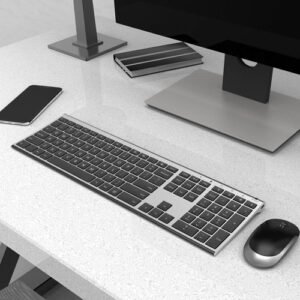
Computer accessories cover a broad range of products designed to complement computers and laptops. Keyboards are available in different layouts and designs for everyday typing, office work, study and specialised use. Computer mice can include wired and wireless options, with different shapes and controls to suit different preferences. Webcams and related accessories can support online meetings, classes and video communication where a built-in camera is not sufficient for a particular setup.
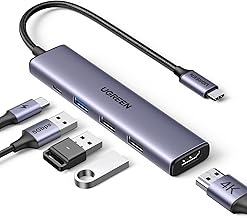
Connectivity accessories are also useful when a computer has limited ports or needs to connect with additional devices. USB hubs, adapters, extension accessories and compatible cables can help connect peripherals such as storage devices, keyboards, mice and other equipment. Before buying, check the connector type and supported interface so the accessory matches the ports available on your computer or laptop.
Compatibility is one of the most important considerations when shopping for computer accessories. Check the connection type, operating-system support where relevant, dimensions and other specifications before ordering. USB-A, USB-C, HDMI and other connection standards can serve different purposes, and an adapter may be required when the ports on two devices do not match. Wireless accessories may also require a compatible receiver, Bluetooth support or another connection method.
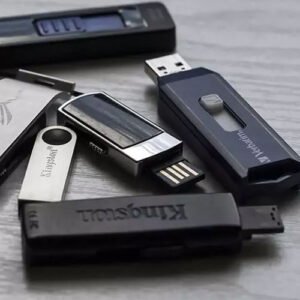
For storage-related accessories, consider the type of device being used and the required interface. When selecting a keyboard or mouse, consider whether you prefer a wired connection or wireless convenience. For webcams, look at factors such as resolution, mounting method and compatibility with the software you intend to use. Taking these details into account can reduce the risk of purchasing an accessory that does not suit your existing setup.
A well-planned computer setup does not need to be complicated. Home users may look for practical accessories for browsing, entertainment and communication, while office users may prioritise comfortable typing, reliable connectivity and efficient desk organisation. Students can benefit from accessories that support online learning, assignments, presentations and video calls.
For a professional workstation, combining a suitable keyboard and mouse with connectivity accessories can help organise commonly used peripherals. A webcam may be useful for meetings and remote communication, while appropriate cables and adapters can simplify connections between a computer, display or other compatible devices. The best combination depends on the existing equipment, available space and everyday tasks.
Start by identifying the specific purpose of the accessory and the device with which it will be used. Check product dimensions, connector types, compatibility information and relevant technical specifications. For wireless products, review the connection method and any stated operating requirements. For cables and adapters, confirm that the connector on each end matches the devices being connected and that the required standard is supported.
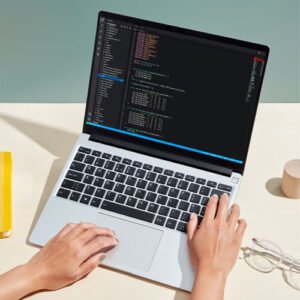
It is also useful to consider durability, portability and ease of use. A compact accessory can be convenient for a laptop bag, whereas a desktop workstation may benefit from full-size peripherals. Cable length can matter when connecting equipment across a desk, while wireless accessories can help reduce cable clutter. Comparing these practical factors can help Indian shoppers select computer accessories that fit their particular setup and budget.
Computer accessories are available for a wide variety of everyday requirements, from basic home computing to office productivity, education and entertainment. By considering compatibility, connectivity, design and intended use, shoppers can build a computer setup around the devices they already own. Whether you need a replacement keyboard, a convenient mouse, a webcam, a USB accessory, a cable or another compatible peripheral, focusing on the actual task can make the buying process simpler.
When comparing computer accessories online in India, pay close attention to specifications and compatibility rather than relying only on product appearance. A carefully selected accessory can complement your existing computer and make routine tasks more convenient while helping you create a setup suited to the way you work, study or use technology.